설치 사이트
https://dev.mysql.com/downloads/
MySQL :: MySQL Community Downloads
dev.mysql.com
1. 커스텀 설치

[Available Products]에서 [MySQL Servers] - [MySQL Server] - [MySQL Server 8.0] - [MySQL Server 8.0.21 - X64]를 선택하고 버튼을 클릭
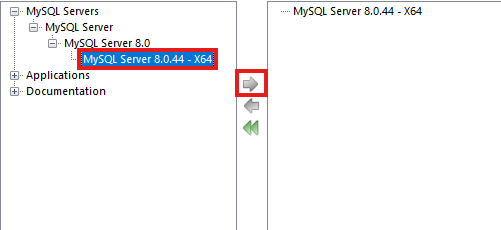
- [Applications] - [MySQL Workbench] - [MySQL Workbench 8,0] - [MySQL Workbench 8.0.21 – X64]
- [Documentation] - [Samples and Examples] - [Samples and Examples 8.0] - [Samples and Examples 8.0.21- X86]
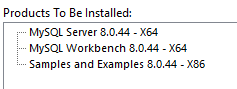
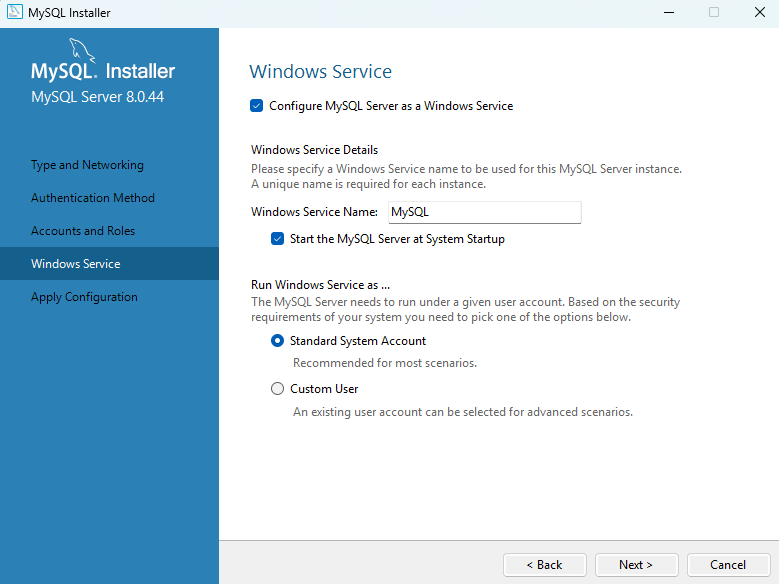
계속 진행하다가

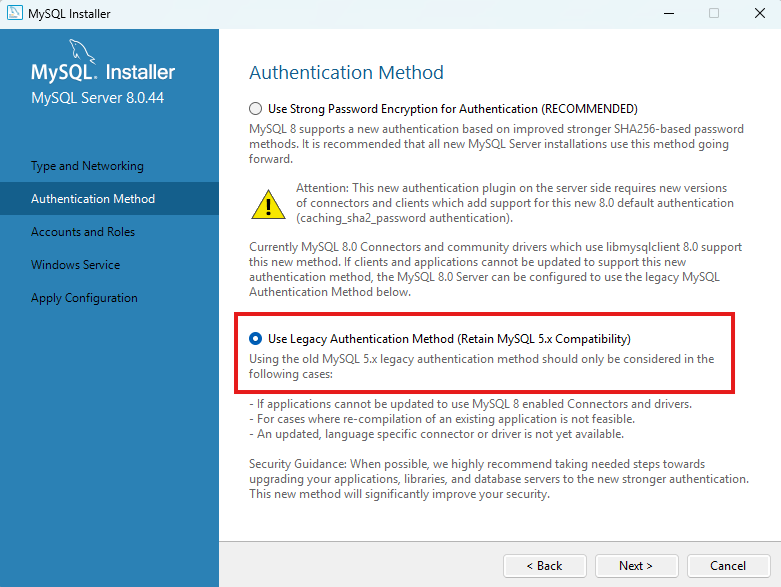
Config Type 과 TCP/IP Port 번호가 이미지와 같은지 확인해야 함.
만약 이전에 설치한걸 지우다가 ! 표시가 뜨면서 next가 뜨지 않으면 작업관리자에서 mysql.exe 를 종료하면 계속 진행이 가능하다.